
Here are the latest ChargeOver updates, which are mostly geared towards new reporting data and easier navigation.
#New MRR cohort report and NRR cohort reports!
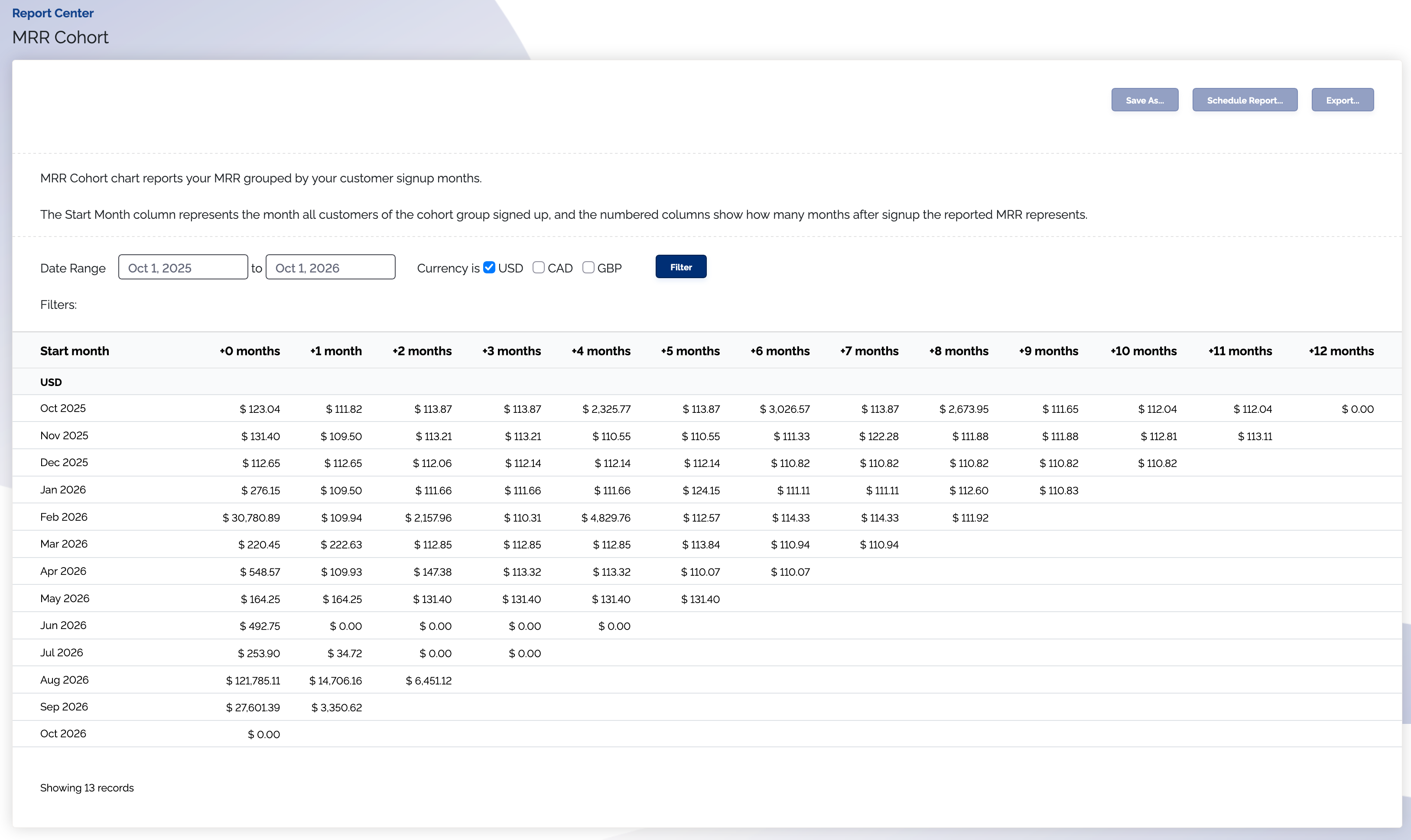
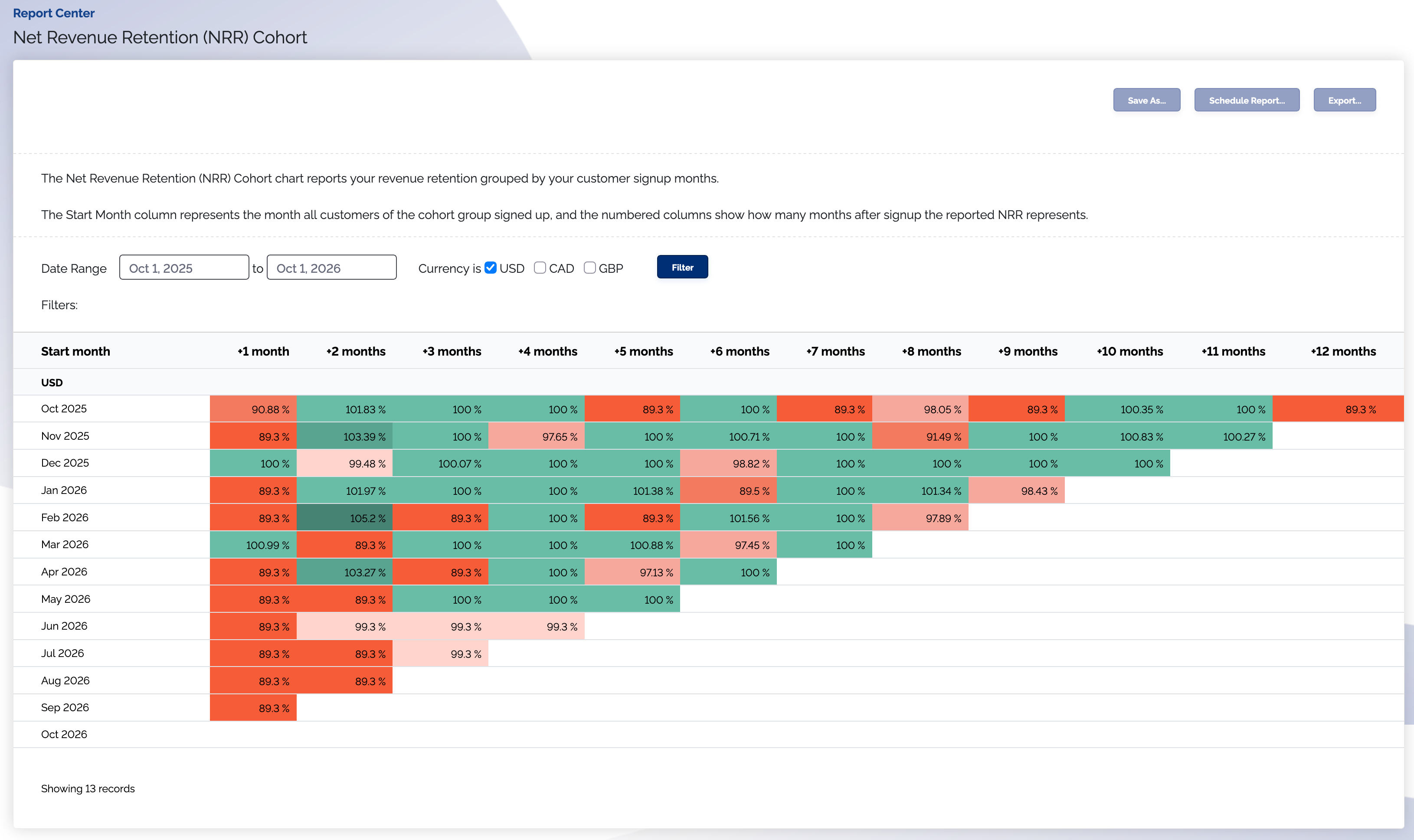
We have added a Monthly Recurring Revenue (MRR) cohort report and a Net Revenue Retention (NRR) cohort report to the Report Center.
You can use these new reports to identify the behaviors and trends of your customers over time. The MRR cohort report tracks how much revenue is made by your customers, grouped by when they first signed up. The NRR cohort report tracks how much revenue is retained by your customers, grouped by when they first signed up.
#New Sync Error column for integration not synced reports
The "not synced" reports now show why a record didn't sync. A new Sync Error column shows the error from the most recent failed sync attempt on these reports:
- Invoices not synced with QuickBooks
- Payments not synced with QuickBooks
- Invoices not synced with Xero
- Payments not synced with Xero
Find these reports under Report Center → Build a Report.
#New search bar and collapsible sections in report "Choose Columns" menus
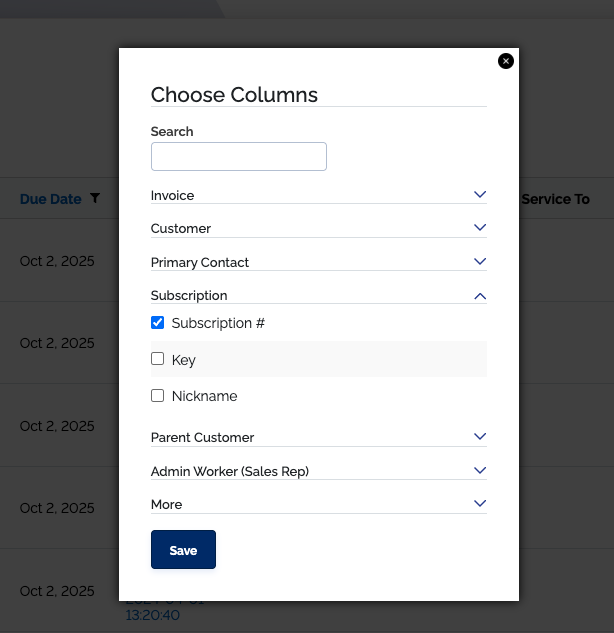
There's now a search bar on "Choose Columns" menus for reports, so you no longer have to search through a long list of available columns to find what you're looking for. You can also collapse column sections, simplifying the menu and making it easier to read through.
#Other improvements
#Improved main search bar
The main search bar now lives right on the header, so you don't have to click anything to open it — just start typing. Results appear instantly as you type; click one to jump straight to it, or press Return to see the full results page. Additionally, you can access the search bar by pressing the forward slash key (/).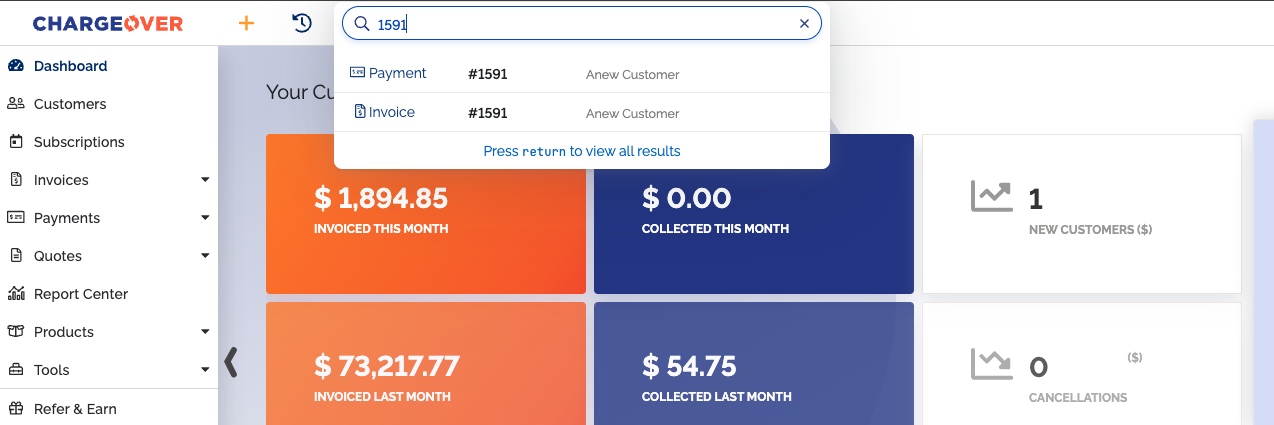
Supported objects include:
- Customers
- Contacts
- Quotes
- Invoices
- Subscriptions
- Transactions
- Notes
#New Net Revenue Retention (NRR) metric, and improved MRR Summary report
The MRR Summary report can now show data for a custom date range, is exportable to excel or a CSV file, and can be accessed via the REST API. We've also added Net Revenue Retention (NRR) as a new row to the MRR Summary report, allowing you to track revenue retention on a month-by-month basis.
#Bug fixes
- Fixed an error that occurred when signing up for a product with hosted sign up pages, when there were long terms and conditions
- Fixed a bug where the REST API
/api/v3/transaction/_countendpoint required a?where=filter to have a successful response, when it shouldn't have required that - Fixed a problem where the buttons to delete upcoming invoice notifications didn't work