
We've got a lot of improvements to share with you, as we've been working to further improve your experience with ChargeOver. From new features, to faster report loading, to updated page layouts, here's what's new:
#New features
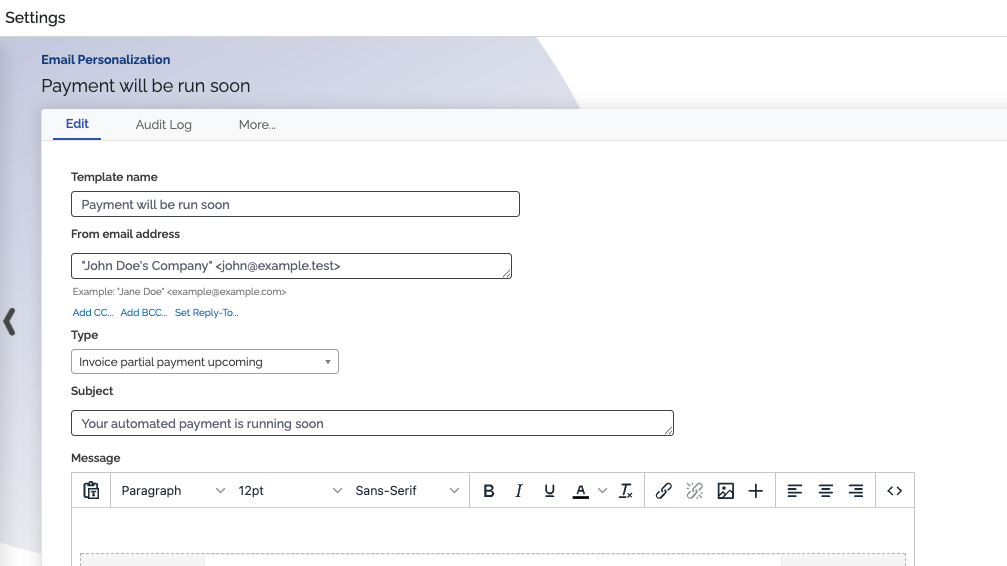
#Send upcoming scheduled payment reminders for one-time invoices
You can now send reminders for upcoming scheduled payments for one-time invoices, to help make receiving your payments go smoothly. There's a new Invoice partial payment upcoming email template type available for this, along with a new option in the Upcoming Invoice Notifications feature to send an email before scheduled invoice payments are due to run.
#New Bulk Update tool fields available
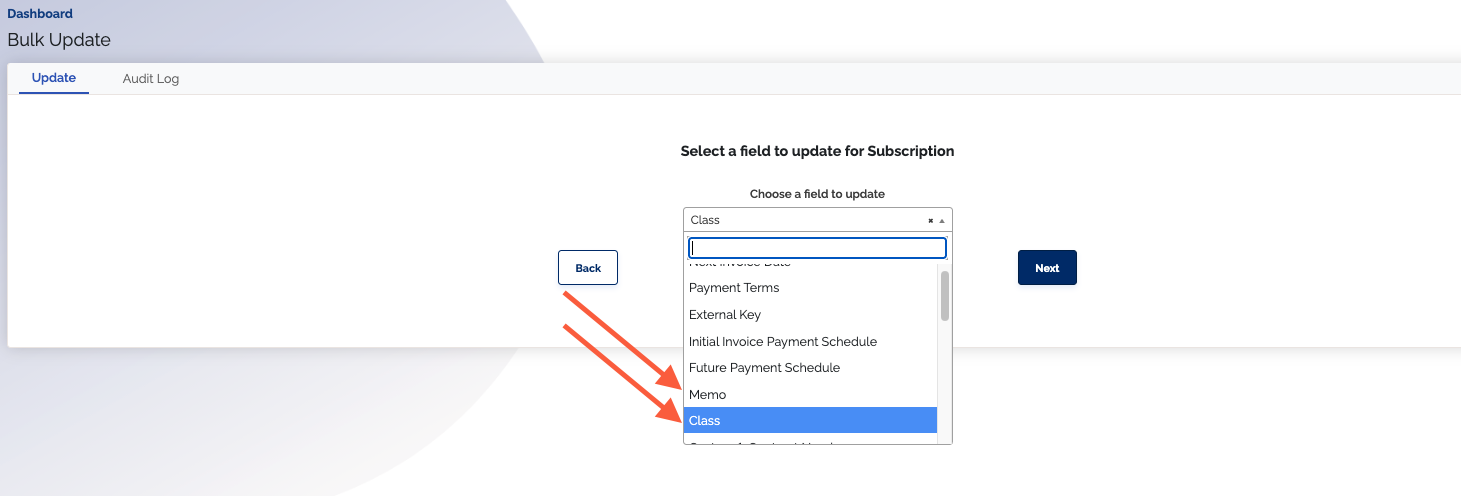
There are two new subscription fields you can adjust using the Bulk Update tool:
- Memo – Set the memo field on a batch of subscriptions in one file upload
- Class – Reassign a batch of subscriptions to a new class in one file upload
This is helpful when you need to move a group of subscriptions to a new class, or add multiple notes to a batch of subscriptions, without manually editing each one.
#Other improvements
#Mobile-friendly Docusign when viewing a quote
We've made e-signing a quote via Docusign easier to use on your phone.
- The embedded Docusign signing document now resizes to fit your screen instead of forcing you to scroll sideways
- You can now pinch-to-zoom on the quote page, making the Docusign document's text easier to read on mobile
This makes it noticeably easier for your customers to review and e-sign a quote through Docusign from their phone.
#Faster report loading
Reports load faster — especially for large datasets.
We've improved how reports count records behind the scenes, switching from a slower counting method to a much more efficient one. If you've got a large amount of data in ChargeOver, you should notice a big speed boost when loading reports.
#Persisting sync failure notices
Integration sync errors now persist. If an invoice runs into an error when syncing, that error message will now continue to show, so you no longer need to re-sync to view it.
The following integrations have persisting sync error messages:
- Xero
- QuickBooks Online
- Salesforce
- HubSpot
- AvaTax
#Updated contacts layout
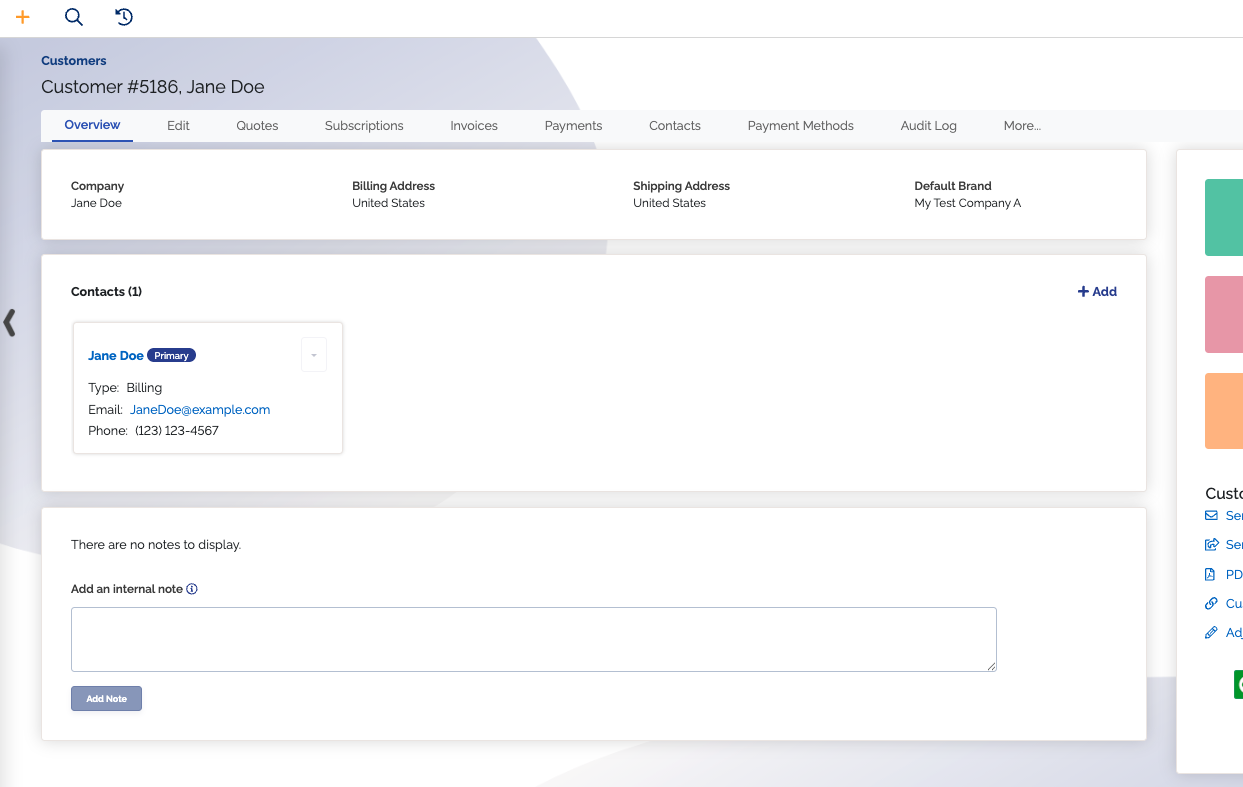
Customer info will now display in a responsive grid format to reduce white space and add room for a new Contacts card container.
The Contacts card container will now display all customer contacts, with the primary contact displayed first for easy access. Each contact card will also conditionally have a dropdown actions button for quick access to up to three actions.
Depending on an admin's permissions, the actions are as follows:
- Edit contact
- Make contact primary
- Delete contact
#Improved Help Center link in the left navigation bar
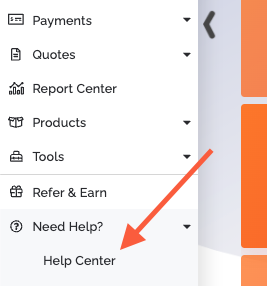
You'll now find the link to our Help Center under the Need Help? section in the left navigation bar. When you click this link, it will now direct you right to the Help Center article that pertains to the page you're on. For example, if you are looking at a subscription and you click the Help Center link, it will direct you to our Managing Subscriptions Help Center article.
You can quickly reference relevant information whenever you need to, and you can have an easier time finding answers.
#Webhooks automatically disable themselves if they're consistently failing
If webhooks are failing on a consistent basis, they now disable themselves and notify you of this under the Notifications bell icon on the right of the top navigation bar in ChargeOver.
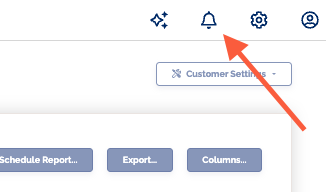
This way you can quickly know if things are going wrong, so you can get things working again.
After receiving a webhook failing notification, you should verify the webhook url to make sure it's correct and working, then you can re-enable the webhook and resume your normal workflow.
#Bug fixes
- Fixed an issue where a customer default pay method overrode the subscription pay method
- Fixed a bug where inactive customers where automatically set to have an overdue status if they had overdue invoices
- Fixed issue where when refunding an invoice with a normal line item and a discount, you could over-apply the invoice by not refunding the discount