
The ChargeOver team has been working hard, and we've made a lot of improvements recently to help your billing go smoother. Here's what's new.
#New features
#New SureTax integration
We've added SureTax to our supported integrations, which allows you to accurately and automatically calculate sales tax. With this integration, you can use tax inclusive billing, set multiple tax exemptions on a customer, and calculate accurate taxes for refunds.

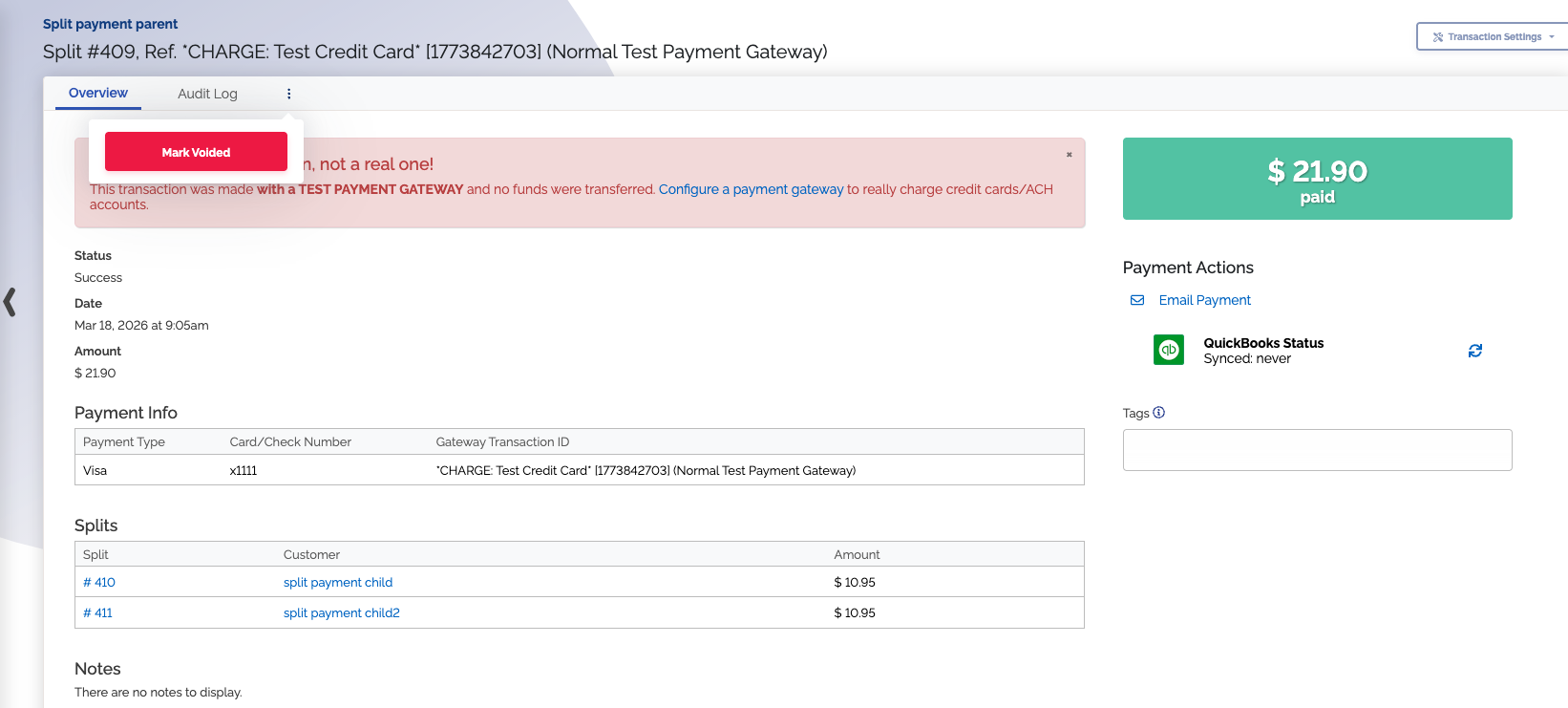
#Ability to void split payments made by parent customers
In ChargeOver you can now void payments made by parent customers that were applied across multiple child customer invoices. This improves your transaction reporting accuracy by keeping the void status of these payments in ChargeOver in sync with the actual transactions.
#Added an audit log for admin users
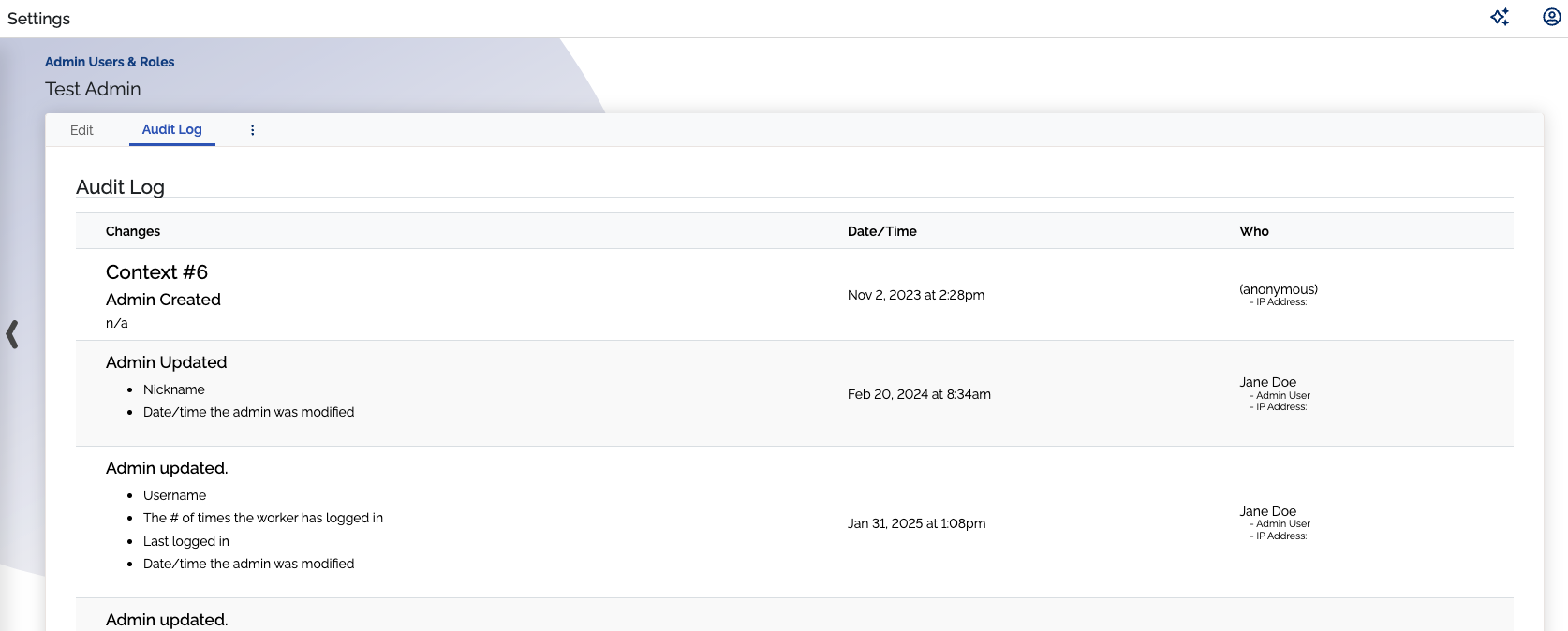
We've implemented an audit log for admin users to provide better visibility into account changes. When viewing an admin user, you can now click the "Audit Log" tab to see a complete history of modifications.
This log includes specific details on what was changed, the date of the update, and which user performed the action. This added layer of transparency makes it easier to track administrative adjustments and maintain security standards across your platform.
#Added an audit log for email templates
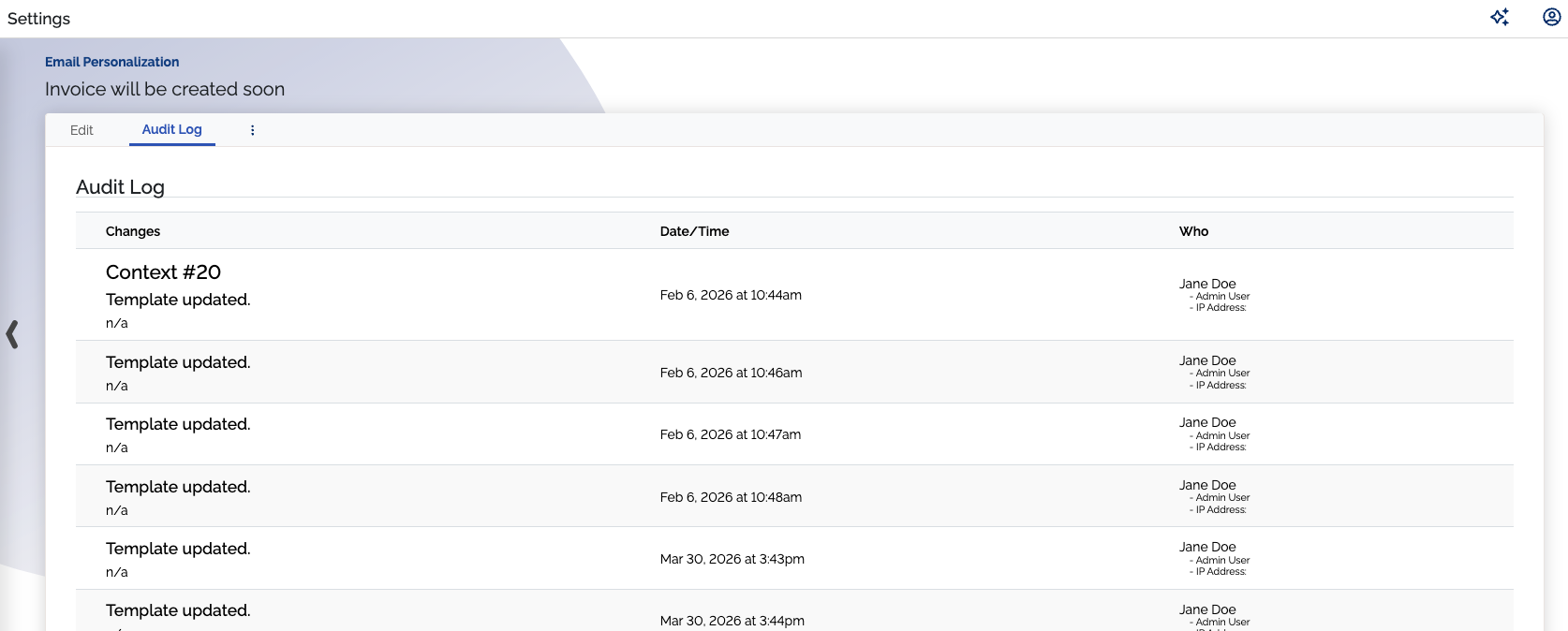
We've added an "Audit Log" tab to email templates to help you track when changes occur. When viewing a template, you can now see a history of every update, including the specific date and time of the modification along with the user who made the change.
#New option to set a service date to start on the first of the month after next month
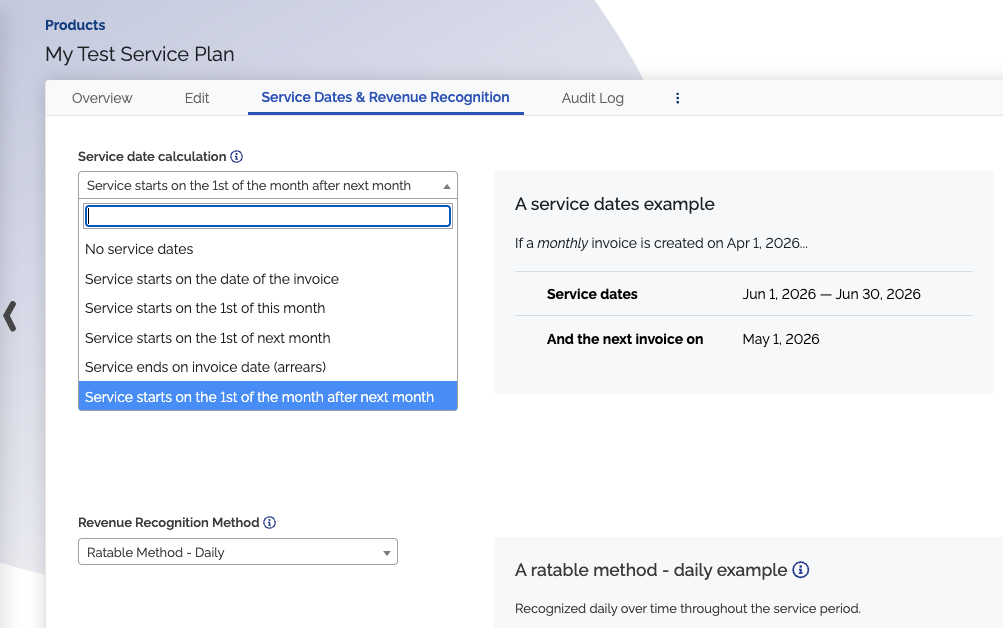
There's a new service date option to start on the first of the month after next. This can be helpful if the first of next month is too soon, and you need a month to complete onboarding, finalize contracts, or finish other preparations before the service start date.
#Other improvements
#Build custom reports using base of a tokenized payment methods report
You can now build custom reports using a Gateway-tokenized payment methods report as the base. This is especially useful when switching payment gateways, giving you an easy way to track any tokenized payment methods that need to be tokenized with the new gateway.
#Chargebacks show on invoices
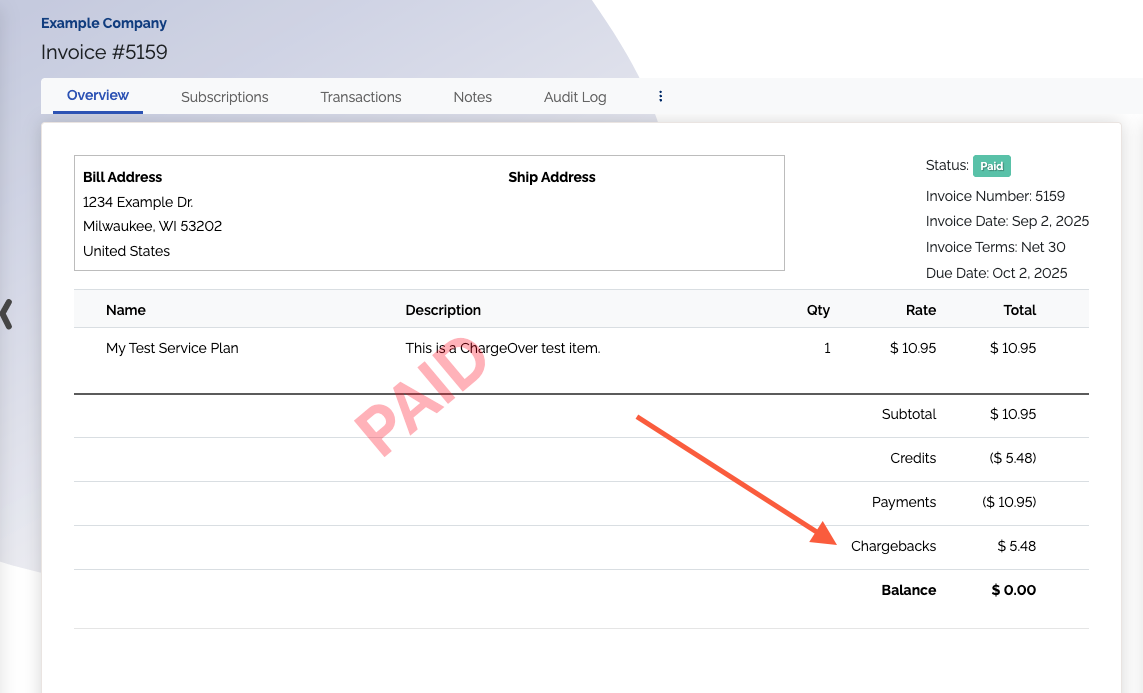
We've improved invoices to display chargebacks when looking at the total breakdown on an invoice overview page. This way you can easily see all the types of transactions contributing to the invoice balance, and the chargeback value isn't a missing piece you have to add behind the scenes.
#New 'Dunning exempt?' column to Invoice with Products report
There's a new column for 'Dunning exempt?' on the Invoice with Products report in the report center, so you can see which invoices are set to go through dunning and which ones aren't. This helps you know what to expect for invoices when it comes to dunning.
#Default quote template shows recurring charges on a separate line
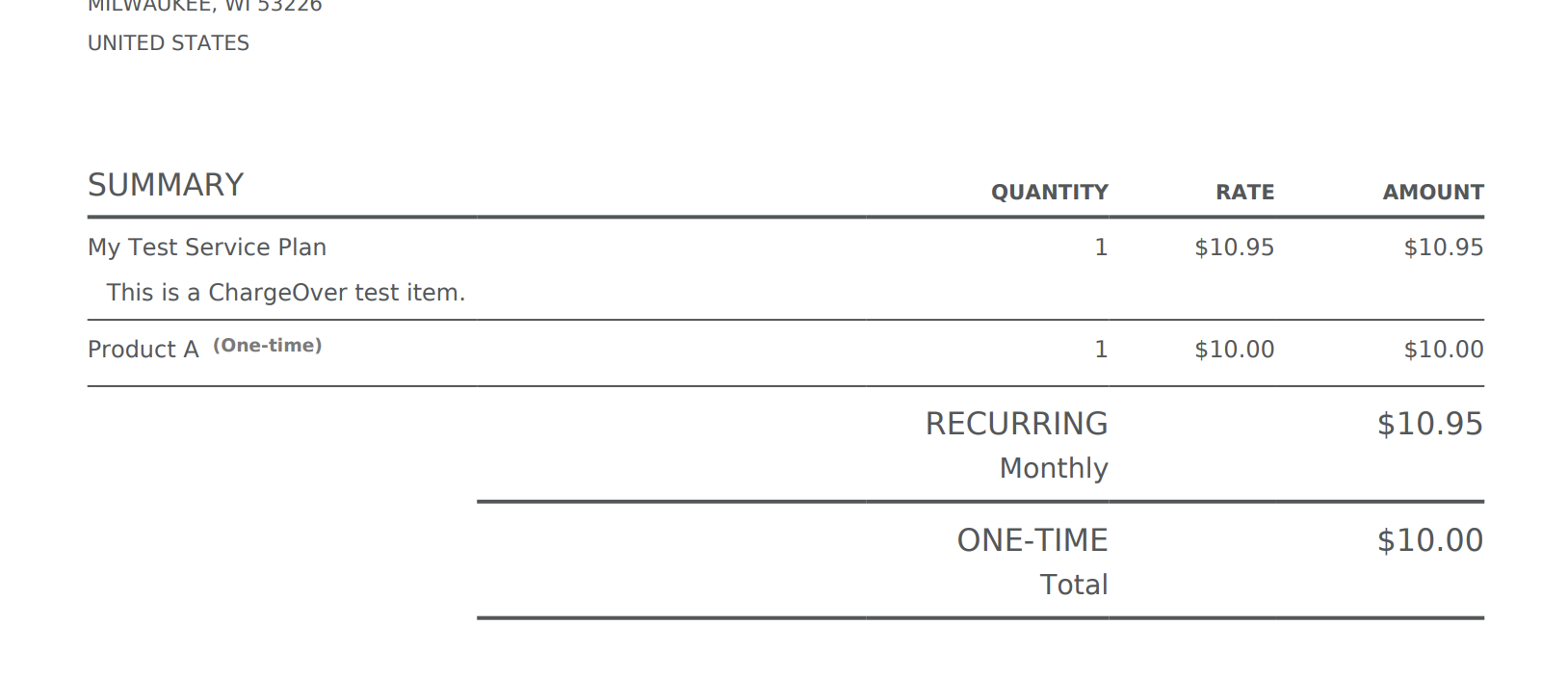
The default quote PDF template has been improved to distinguish recurring charges from one-time charges. This makes the quote clearer for your customers, so they understand exactly which payments to expect and when.
#Standardized placement for the more actions menu (⋮)
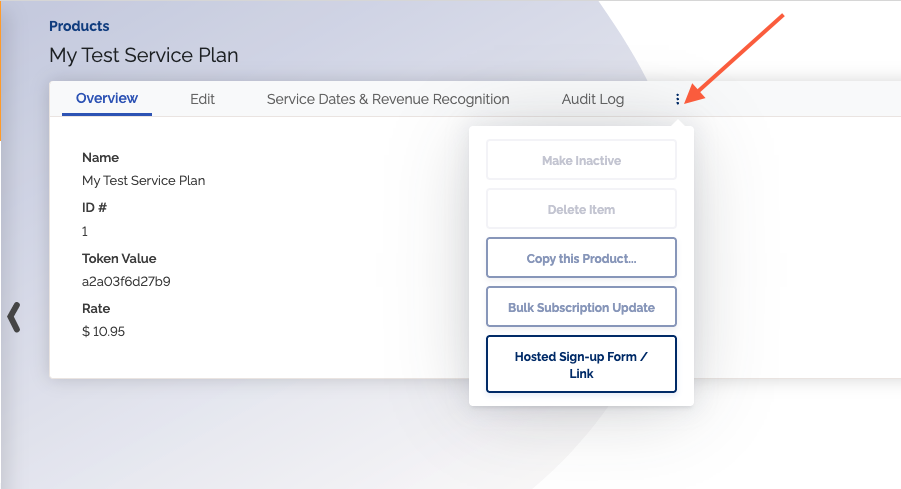
We've updated several areas of the platform to use the vertical ellipsis (⋮) menu for record actions. You'll now find the options to delete, activate, or deactivate records behind this menu.
Although this menu already exists in other parts of ChargeOver, we've extended it to these additional pages to ensure a more consistent experience. This also reduces visual clutter, making it easier to scan your lists at a glance while keeping your management tools in a familiar, predictable location. Pages updated with this menu:
- Admin users
- Products
- Discounts
- Bundles
- Coupons
- Hosted sign-up pages
- Reports
#Audit logs now in a consistent placement
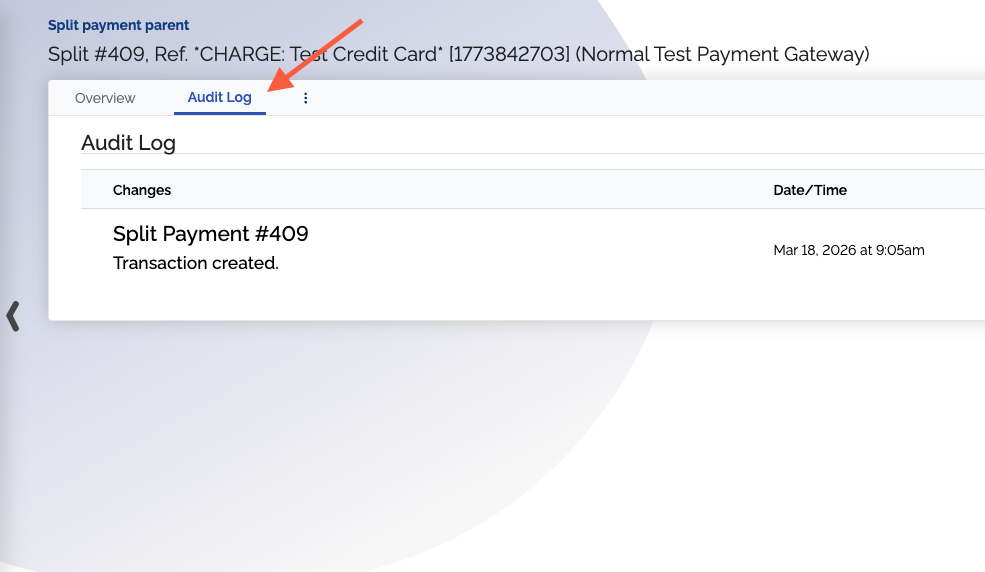
Audit logs are now all under Audit Log tabs when viewing items like invoices, payments, customers, etc.
There used to be some audit logs in these tabs already, with other audit logs placed under the actions sections, such as Customer Actions. That way you can easily locate your logs without having to remember where each one lives. Here are the specific items that had relocated audit logs:
- Customers
- Tokenized payment methods
- ACH payment methods
- Credit cards
- Contacts
- ACH verification payments
- Split payments
#Updated processing fees page
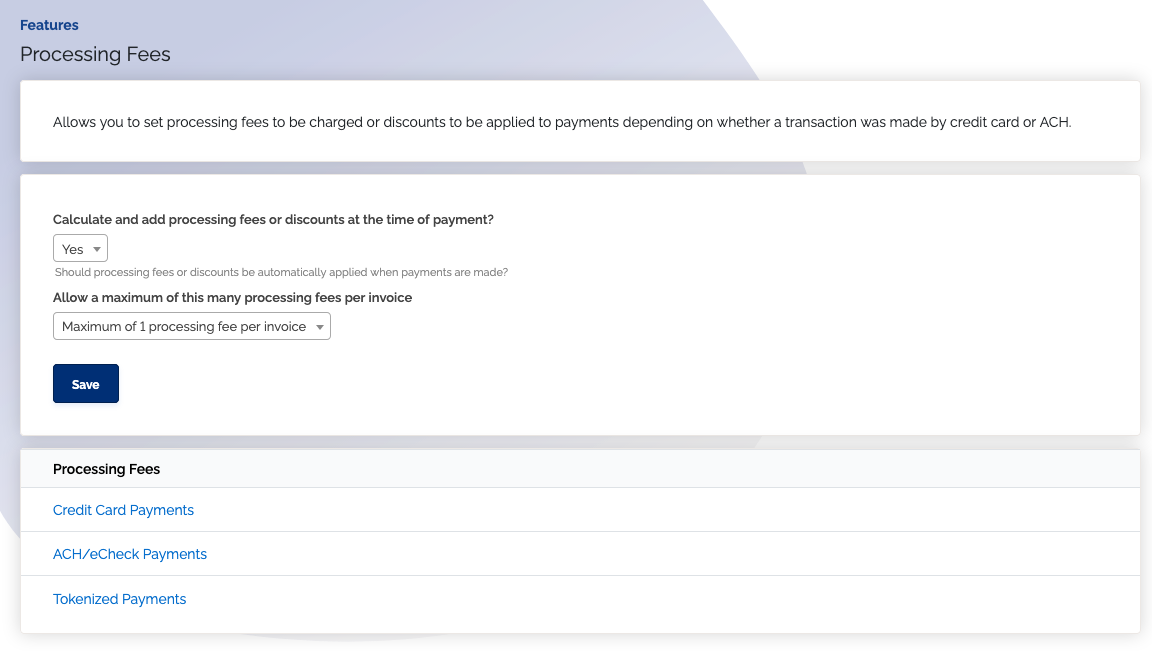
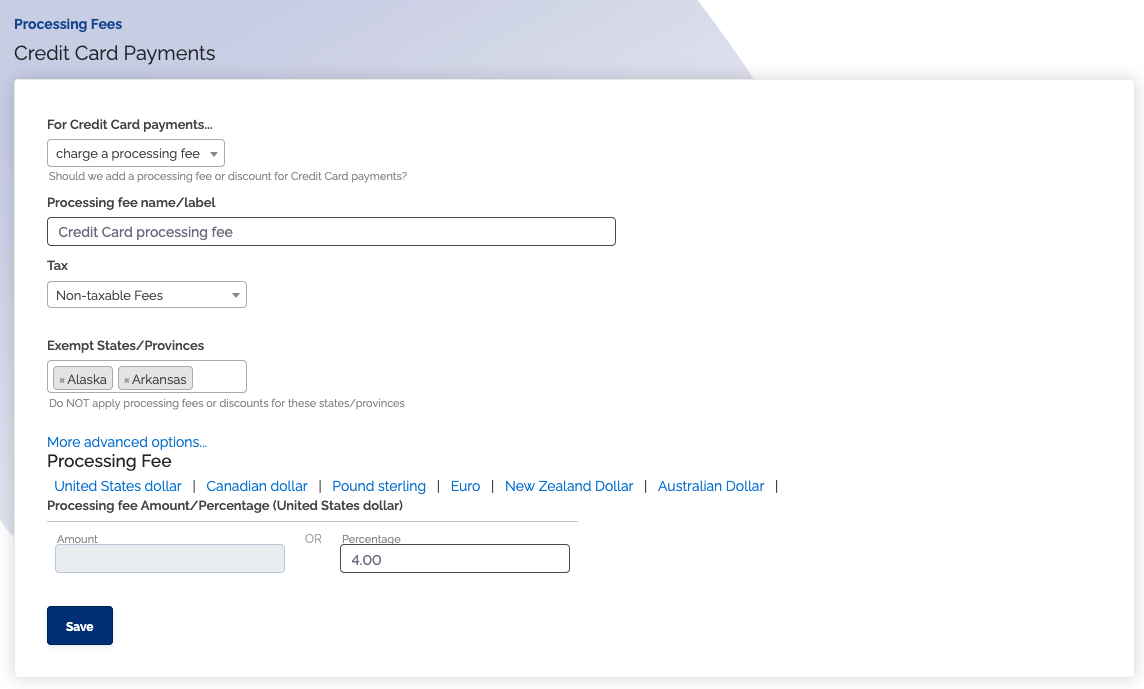
We've updated the Processing Fees page to match the design used across other ChargeOver feature pages. Instead of displaying every fee on a single page, you can now access and update each processing fee type individually. This makes it easier to manage specific fees without scrolling through unrelated options, and ensures a more predictable experience as you move through different settings in ChargeOver.
#All "yes/no" drop-downs are now checkboxes
We've converted all "yes/no" dropdown menus across the platform into simple checkboxes. While the functionality remains exactly the same, this update streamlines the interface. Using checkboxes requires fewer clicks to update your preferences and makes it easier to review your settings at a glance.
#Standardized icon style
We've updated some icons in ChargeOver so that all icons now have the same visual style, making them easier to recognize and understand immediately.
#Bug fixes
#Stripe
- Fixed a problem where Stripe payment methods that should have been classified as Link payment type were instead classified as a Cash payment type
#Proration
- Fixed an issue where quantity or rate proration calculations were applied, even if proration didn't occur in the period
- Fixed issue where editing a subscription's proration for a product with merge tags in the description caused the proration projection to not show, and prevented proration changes from saving